How Buckbrush Slough is Using Canva & Canvify for Their Landing Page
Buckbrush Slough uses a simple, focused storefront model.
Instead of building multiple custom Shopify pages, the brand relies on a single Canva-designed landing page as its primary storefront, published into Shopify using Canvify.
The goal is clarity. Visual branding first. Commerce handled quietly in the background by Shopify.
Storefront Built in Canva, Products Handled by Shopify
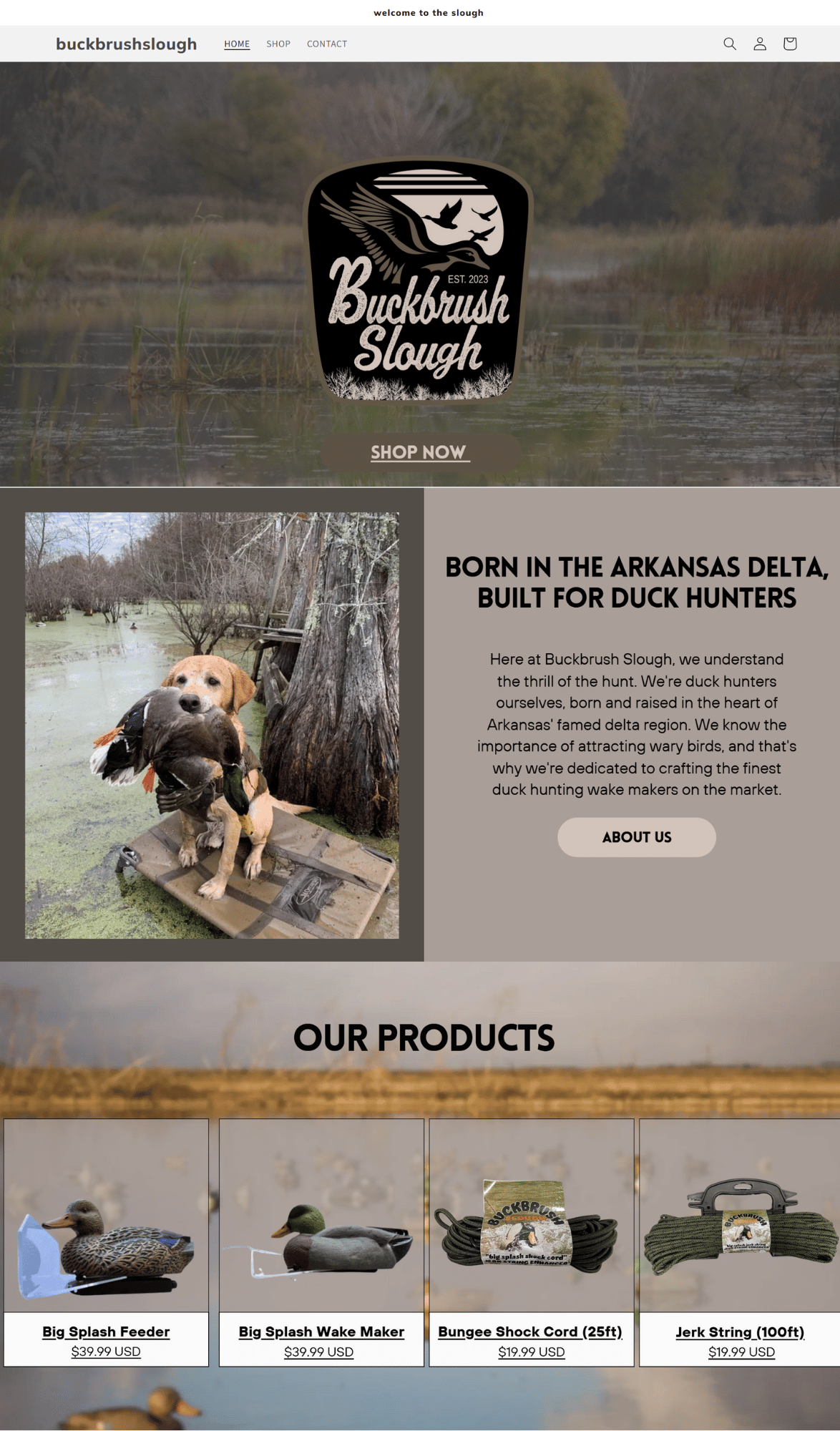 The main page of Buckbrush Slough is designed entirely in Canva and imported into Shopify via Canvify.
This Canva page acts as the front-facing experience:
- Brand colors, typography, and layout are controlled visually
- The page tells the story and guides the user
- Product links lead to standard Shopify product pages
Shopify’s Dawn theme handles:
- Product details
- Cart
- Checkout
- Payments
- Inventory
This split keeps the setup clean. Canva controls presentation. Shopify controls operations.
Design Approach & Brand Identity
The page design is minimal and intentional.
There are no complex grids or heavy ecommerce sections.
Instead, the layout focuses on:
- Clear visual hierarchy
- Consistent brand colors
- Strong typography choices
- Calm spacing that keeps the page readable
Canva makes this approach practical. Fonts, colors, and graphics are applied exactly as required, without adjusting Shopify theme files or CSS.
Embedded YouTube Shorts (Within Mobile Frame Elements)
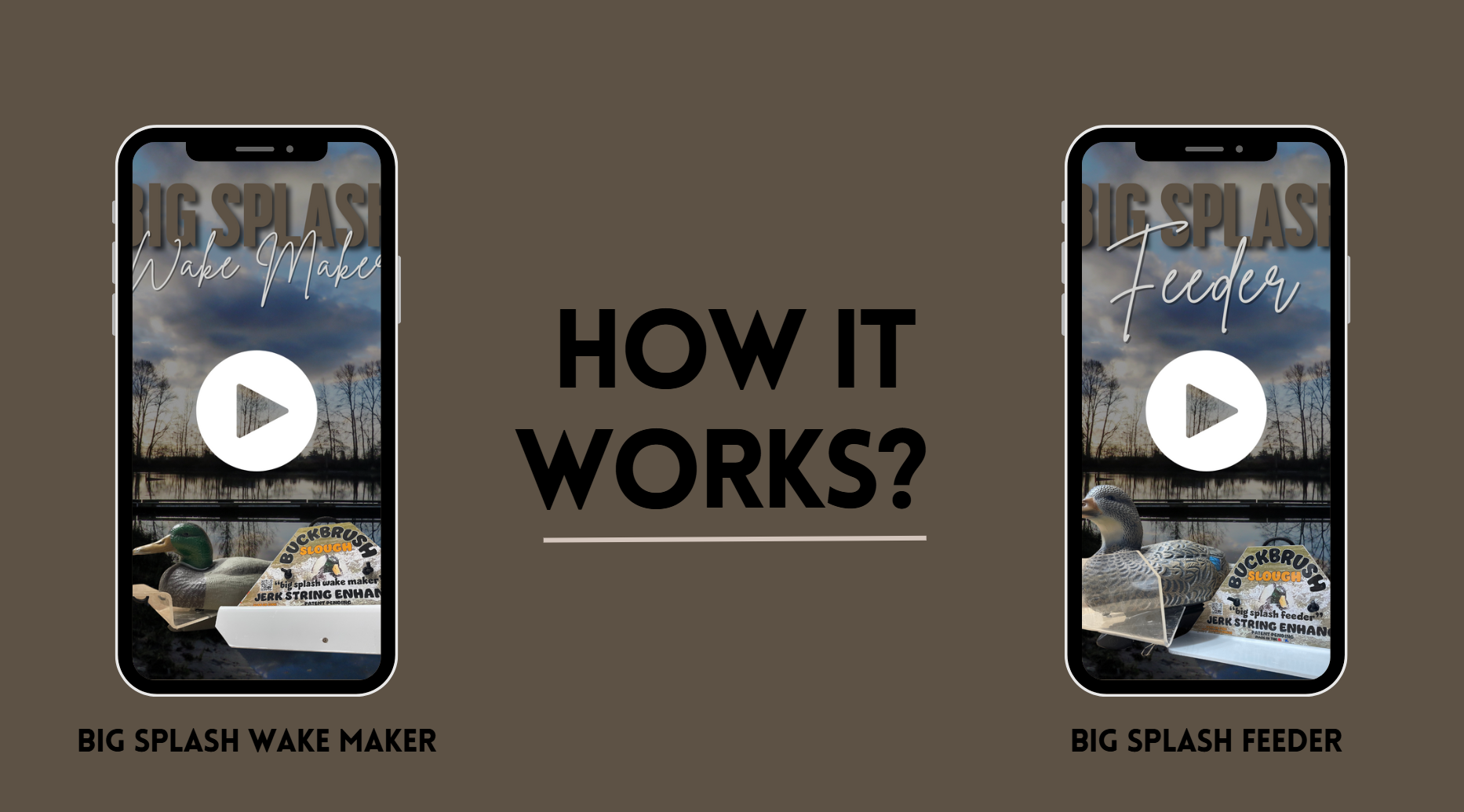
One of the standout design elements on the page is the embedded video displayed inside mobile phone frames.
These frames are available directly inside Canva’s Elements library.
The video is placed inside the phone mockup as a design component, not a technical embed.
This makes it easy to:
- Present mobile-first content
- Show product or lifestyle visuals naturally
- Maintain visual consistency across devices
Implementing this natively in Shopify would usually require:
- Custom sections
- Embedded iframes
- Manual styling for responsiveness
Here, it’s handled visually inside Canva and published as part of the page.
Read: How to embed YT shorts and other social media content in Canva websites
Typography & Content Flow
Typography plays a major role in guiding the user down the page.
- Headings are clear and readable
- Body text is spaced well and never crowded
- Visual breaks are created through layout rather than borders or lines
CTA Section with Social Links

At the end of the page, the call-to-action is simple and effective.
It combines:
- Clear closing messaging
- Social media links
- Clean typography that matches the rest of the page
Rather than feeling like a footer add-on, this section feels like a natural conclusion to the page’s story.
Shopify Header Configuration
Buckbrush Slough uses Shopify’s native header from the Dawn theme.
This means:
- Navigation remains consistent
- The logo and menu are managed inside Shopify
- No header duplication is needed inside Canva
When publishing the Canva page through Canvify, the store has the header toggle turned ON.
This allows the Canva page to sit naturally inside the Shopify site structure, without replacing or breaking theme elements.
Mobile Responsiveness

The Canva-designed page scales cleanly on mobile devices.
- Layouts remain readable
- Videos and frames resize properly
- Typography stays consistent
No separate mobile editing inside Shopify is required.
Learn more: How to make your Canva page mobile responsive for Shopify
Why This Setup Works
Buckbrush Slough shows how Canvify can be used as a visual storefront layer, while Shopify remains the commerce engine.
It works especially well for:
- Simple landing-page-based stores
- Brands that prioritize visuals over complex layouts
- Founders who want full control over design without touching code
Canva handles the look. Shopify handles the logic. Canvify connects the two.